Welcome To The
MobiFlix APK V1.0.0 Free Download For Android
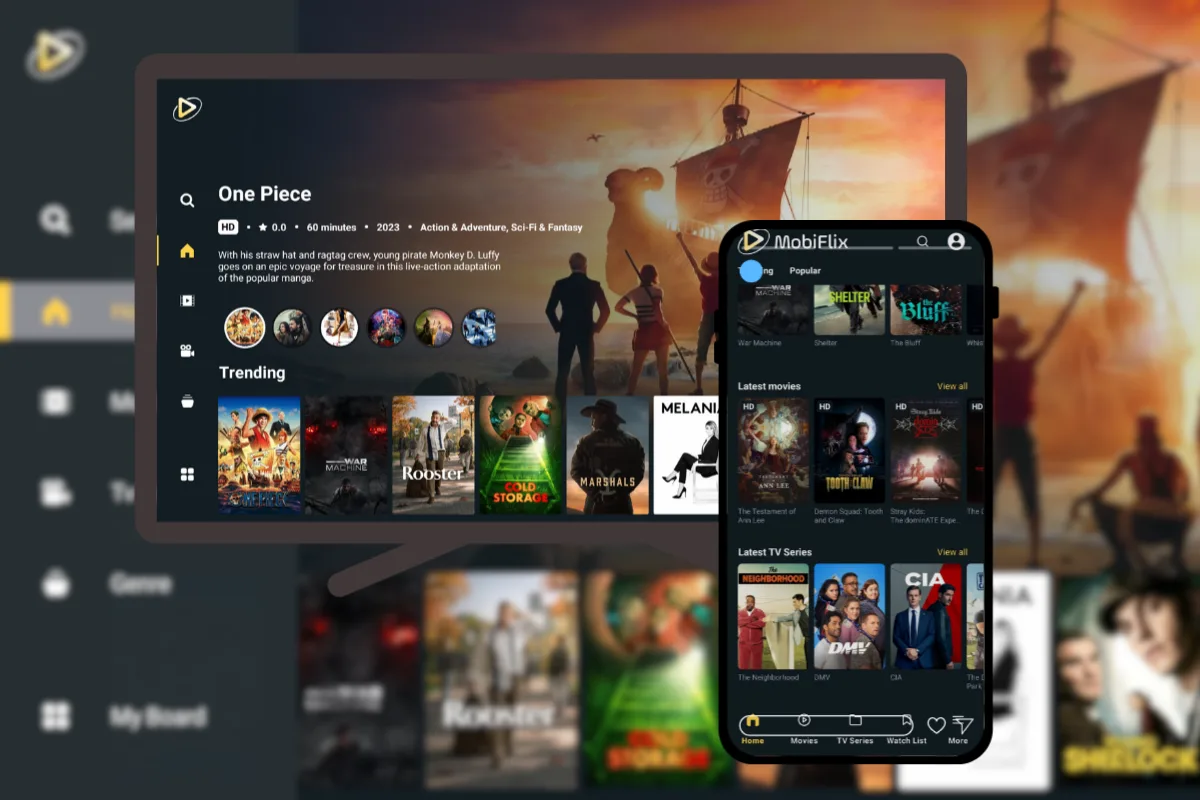
MobiFlix is a free Android app to watch HD movies and TV shows. It offers a simple interface, fast sources, subtitle support, and works on Android phones, Smart TVs, TV boxes, and Firestick.
Size: 20 MB
Requires Android 5+
100% safe
Trusted App
Downloader COde
2434497

What is MobiFlix APK?
MobiFlix emerged as the newest third-party alternative app after the Cinema HD shutdown and Firestick app restrictions, quickly gaining strong popularity among users.
With its built-in media player, users don’t need any external player. All playback options are included, and once a link is fetched, the app automatically plays the best source without requiring you to choose from multiple links.
What makes MobiFlix one of the best movie apps:
Watch or download Ultra HD sources
Fresh content daily
No Signup Required
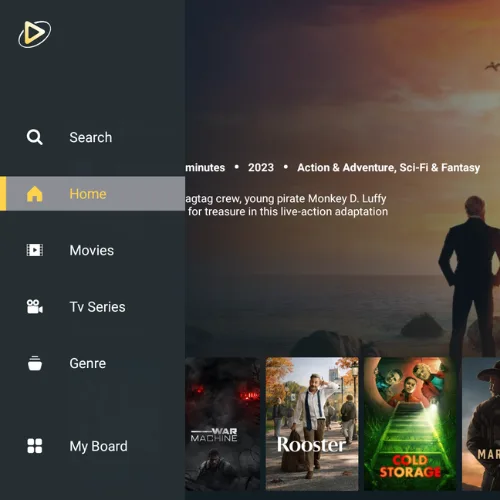
TV-Friendly Interface
Download MobiFlix
Pick your device and download the latest MobiFlix version made for seamless viewing. Download the latest version today and unlock the premium source of free movies and TV shows in HD.


screenshots


Features
Why Movie Enthusiasts Love MobiFlix? Fast playback, a huge content library, and smart features designed for effortless entertainment.

Massive Library
Browse unlimited movies, TV shows, series, and anime across multiple genres. Everything you love is constantly updated.

Free to use
MobiFlix is a free APK that requires no subscription to access. Simply open the app and start watching.

Register Only If you want
Optionally create a MobiFlix account for personalized recommendations, Trakt integration, content sync across devices, and more.

Multiple Subtitle Languages
Watch global content your way with original language and flexible subtitle options.

Ad-Free
Zero ads anywhere. Open, play, and enjoy without distractions.

Personal Watchlist
Add titles in one tap and create a viewing space that’s truly yours.

High-Quality Video (Up to 4K)
Smart link selection finds the best available sources instantly. No Real Debrid, no extra setup, and minimal buffering.

Save for Offline Viewing
With MobiFlix, you can download your favorite episodes and watch them anytime without Wi-Fi.
Install MobiFlix APK in three steps
Step 1
Download and Install
- Download the current version of MobiFlix APK to your device using the links provided.
- Tap “Download anyway” if prompted.
- It will prompt you, “Do you want to install this app?” Tap Install.
- Wait for the installation to complete. Some devices may run a security scan first, so it can take a minute.

Step 1
Enable Unknown Apps
- Go to your Android settings.
- Navigate to Apps > Special App Access > Install Unknown Apps.
- Find and Tap on “MobiFlix”.
- Turn ON -> Allow from this source. Tap OK.

Step 1
Launch MobiFlix
- Open the app from your home screen.
- For quick access, tap Skip and enter the app.
- Tap OK to close the changelog summary pop-up window.

FAQ
Is Mobiflix a safe & secure APK?
“The MobiFlix APK is carefully scanned with multiple security tools before release. We verify key safety factors to help ensure a secure download experience.
Why should one use MobiFlix?
Built for fast streaming and an ad-free experience, MobiFlix makes it easy to discover and watch movies directly in the app.
Can I use MobiFlix on a Firestick or Smart TV?
Yes. MobiFlix works great on Fire TV Stick, Android TV, and most smart TV boxes. You can sideload it using the Downloader app.
Is MobiFlix legal to use?
MobiFlix organizes links from content that is publicly available on the internet. However, streaming regulations can vary depending on your country or region. We encourage users to review their local laws and use the app responsibly
Does MobiFlix require a login to access content?
No. You can access all MobiFlix’s features without creating an account or signing in.
How to troubleshoot MobiFlix if it doesn’t work?
First, make sure you’re using the latest version of MobiFlix; update it if you installed an older version. If you’re already on the newest release, try clearing the app cache and check again. For a quick fix, a fresh reinstall can help resolve most issues.
Is MobiFlix compatible with Cast?
First, make sure you’re using the latest version of MobiFlix; update it if you installed an older version. If you’re already on the newest release, try clearing the app cache and check again. For a quick fix, a fresh reinstall can help resolve most issues.
Does MobiFlix need a Real Debrid account?
No. Unlike some apps, MobiFlix doesn’t require a Real Debrid account to access links. It automatically pulls high-quality sources, so you can start watching without any extra setup.
Is MobiFlix compatible with Roku TV?
No. MobiFlix doesn’t run directly on Roku TV. However, you can still watch by casting or screen-mirroring from your mobile device to your Roku TV.
