This guide explains how to install MobiFlix on Firestick, Fire TV Stick, and Fire TV Cube using the Downloader app. The installation process takes only a few minutes and does not require jailbreaking your device.
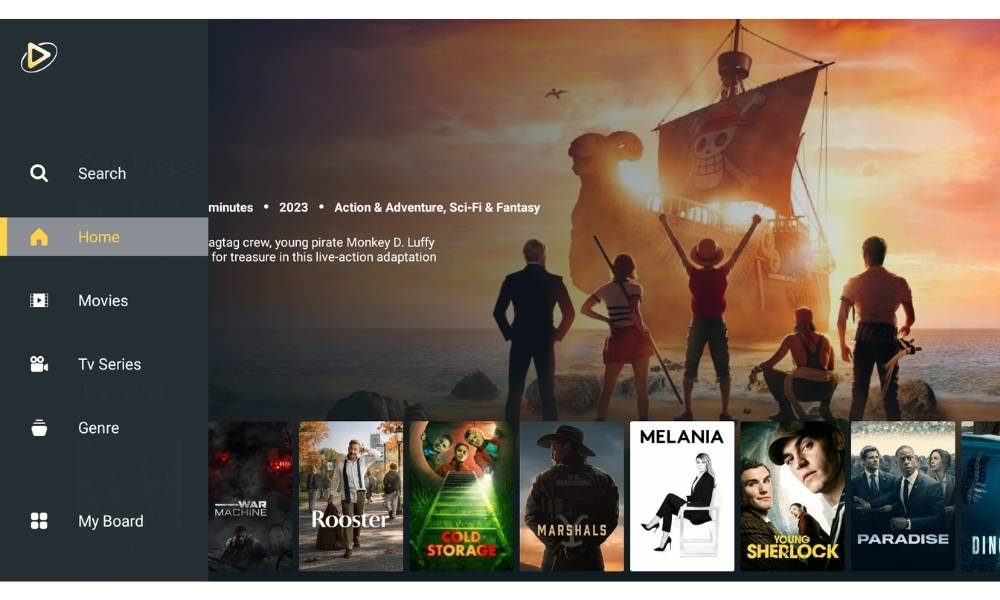
MobiFlix is an Android movie app that provides free HD-quality video streaming. Since the app is not available on the Amazon Appstore, it must be installed using a method called sideloading.
Is MobiFlix Available on Firestick?
No. MobiFlix APK is a new movie app and is not listed in the Amazon App Store. To install it, you must download the APK file using a sideloading tool such as the Downloader app. Before proceeding, you also need to enable permissions that allow third-party apps to run on your Firestick.
Please refer to this guide if you’re installing it for smart TVs.
Enable Apps from Unknown Sources on Firestick
Firestick blocks third-party apps by default. You must enable the option that allows external APK installations before proceeding with any installation method.
Step-by-Step: Enable Unknown Sources


Installation Methods
There are two ways to install MobiFlix on Firestick. Choose the method that works best for you:


Install MobiFlix on Firestick


MobiFlix Not Working on Firestick?
If the app does not open or fails to stream content, try these common fixes:
FIX 1
Clear Cache
- Go to Settings
- Select Applications
- Open Manage Installed Apps
- Select MobiFlix
- Click Clear Cache
FIX 2
Restart Firestick
- Go to Settings
- Select My Fire TV
- Click Restart
- Wait for full reboot
- Relaunch MobiFlix
FIX 3
Update the App
- Download the latest APK
- Install over the existing version
- No need to uninstall first
- Relaunch MobiFlix
- Check if issue is resolved
FAQ
Do I need to jailbreak my Firestick to install MobiFlix?
No. Jailbreaking is not required. Simply enabling “Apps from Unknown Sources” in Developer Options is enough to sideload MobiFlix on your Firestick.

Is MobiFlix available in the Amazon App Store?
No. MobiFlix is a third-party app and is not listed in the Amazon App Store. It must be downloaded as an APK file and installed manually using the Downloader app or ES File Explorer.
Why is MobiFlix not opening after installation?
This is usually caused by a corrupted APK or an outdated version. Try clearing the app cache, restarting your Firestick, or reinstalling using the latest APK version.
Which method is better, Downloader or ES File Explorer?
The Downloader app is the recommended method because it is completely free and specifically designed for Firestick sideloading. ES File Explorer requires a premium subscription, making it less practical for most users.
Does MobiFlix work on Fire TV Cube?
Yes. The same installation method works on Fire TV Cube, Fire TV Stick 4K, and all other Fire TV devices that support Android APK sideloading.
